 AirWallet
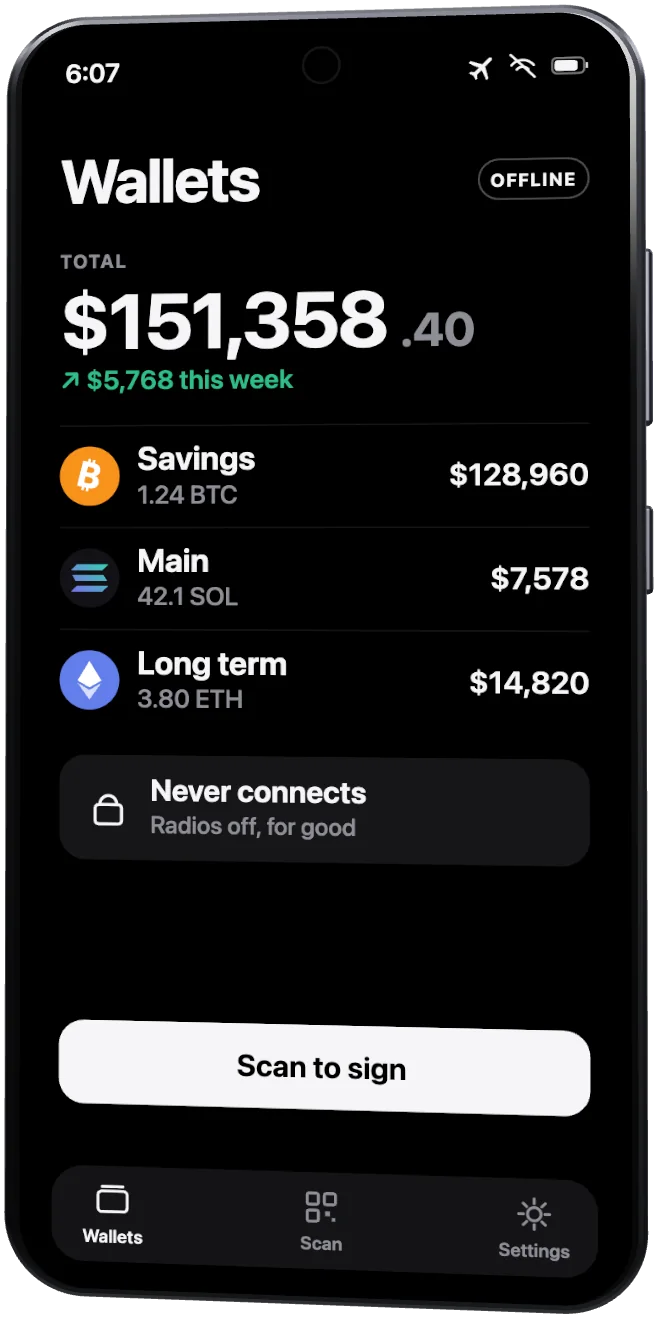
Your spare phone is now a cold wallet. And you can actually use it, without it ever going online.
Put AirWallet on any spare phone or laptop, switch every radio off, and it signs by camera. No cable, no Bluetooth, no device in the mail: your keys live on a device that never goes online againHow does it work?Your everyday computer or phone prepares the payment and shows it as a QR code. The offline device scans it, signs, and answers with a code of its own. Click to see it step by step..
Free. One app does both jobs: when you first open it, pick Everyday wallet or Offline signer, the device that keeps your keys and never connects.
Hardened offline builds
AirWallet Offline is the same app, built so it can never connect. It has no online mode to switch to, and the operating system blocks its network as well. Put it on the device that keeps your keys.
- Android No internet permission at all, so Android refuses every connection.
- Mac Runs inside a macOS sandbox from the first start.
- Linux A kernel filter blocks every network connection.
- Windows A firewall rule, added once with the included file.
- Chrome No network permission. Turns a Chromebook into a signer.
Nothing to install from a store? AirWallet Offline also runs as a web app, on an iPhone too: install it, then turn that device's internet off for good.
Bitcoin, Ethereum and EVM networks, Solana, Monero, Zcash
How it works
One app on two devices. A camera between them.
- 1Set up a spare phone, offlineInstall AirWallet, choose Offline signer, switch every radio off for good, and make your wallets right there. The keys never leave it.
- 2Prepare the payment onlineAirWallet on your computer builds it and shows it as a QR code.
- 3The phone reads itHold it up to the screen. Its camera reads the payment: no cable, no Bluetooth, no network.
- 4Check it, then signWho, how much and the fee, read from the very bytes it signs. No blind signing, ever.
- 5Show it back. Sent.The signature appears as a QR code. Your computer's camera reads it and sends the payment.
- vsMeanwhile, a hardware walletIt works too, but it's genuinely less safe: it plugs into that same online computer, with its app and its firmware, every time it signs.
Just want a hot wallet? AirWallet works on its own too, keys and all. Add an offline device whenever you're ready.
Why not just use a hardware wallet?
A hardware wallet keeps your keys on a small device, then plugs it into an online computer to sign. AirWallet's signer never plugs into anything.
First setup
Set it up once. Then it's just QR codes.
- 1Everyday wallet+Offline signerOne app, two jobs
On the computer or phone you use every day, pick Everyday wallet. On a spare phone or laptop, pick Offline signer: that one will hold your keys. Want the operating system to lock it down too? Give it AirWallet Offline, the build that can't connect at all.
- 2Bluetooth file sharingmicroSD cardUSB stickUSB cableCarry it across
Any way that isn't the internet. Or download it right on the device, then switch the internet off for good: ever so slightly less airtight, and it still works.
- 3OnOffOffGo offline, make your wallet
Airplane mode on, Wi-Fi and Bluetooth off, for good. Install, create a wallet, write its recovery phrase down. The keys are born there and never leave.
- 4Shows its codeEveryday wallet watchesWatch it from your everyday wallet
Tap Show to my online wallet on the offline device and scan it. Your everyday wallet follows the balance and history, never the keys.
- 5Its addressFund it from anywhere
An exchange, another wallet, a friend: send to its address. Receiving needs no signature, so the offline device can stay in a drawer.
- 6Prepare, sendCheck, signSend or swap
Prepare it online, scan it with the offline device, check, sign, scan the answer back. The same few steps, every time.
Portfolio
Every wallet, one picture. Kept on your own device.
Bitcoin, Ethereum, Solana, Monero and Zcash, offline wallets included, in one chart from 1 day to all time. It's built from what the app already saw, so nothing extra goes to any server.
Vanity addresses
Your word in your address. Mined on your own GPU.
Type a word and your graphics chip starts racing through millions of keys a second, hunting for an address that carries it. Every key is made on your own machine, as a standard keypair, and each find drops into your wallet already encrypted.
- Solanadecade7mZqW2xNh4…hRt9<1 s
- Bitcoinbc1qdecade3zn8wq…7ylm<1 s
- Ethereum0xdecade91d4e8…b07e<1 s
- Monero48decadeQp3dWv…Lz2W<1 s
- Zcashu1decade8n3wzx…q7dk~2 s
Grinding for a friend? A split-key request finds their address without you ever seeing their key.
As well as every other feature, ever. We have them all.
- Axiom-style wallet managementDozens of wallets at once: groups, a sortable table, drag to reorder, bulk export, ⌘K to jump to any of them.
- Kraken Pro–inspired portfolioEvery wallet in one chart, line over dots, 1D to 1Y, built from what the app already saw: nothing extra fetched.
- Duress PINsAnother PIN opens a different wallet, and nobody can tell how many there are.
- Disguised as another appIt can open as Weather, Notes, a working Calculator or a Clock.
- Look-alike address warningsIt spots an address that only resembles one you've paid: the classic poisoning scam.
- Swaps, signed offlineSwap Solana tokens through Jupiter, with your keys still on the offline device.
- Stake your SOLPick a validator from a searchable list and stake straight from the wallet.
- Pay several people at onceOne Bitcoin or Solana transaction, as many recipients as you need.
- Speed up or call off a stuck paymentRaise a slow Bitcoin or Ethereum payment's fee, or cancel an Ethereum one, even when its keys live on the offline device.
- A fresh Bitcoin address every timeEach payment you receive lands on a new address, so they can't be strung together.
- Payment links and QR picturesPaste a payment link or a screenshot of a QR code, and Send fills itself in.
- Tor and your own nodesRoute everything through a proxy, or point it at servers you run.
- Private coins, done properlyMonero with subaddresses, payment proofs and coin control, and shielded Zcash, signed offline like the rest.
- Chrome extension and side panelThe whole wallet in your toolbar, or open beside any page.
- Automatic encrypted backupsA copy of every wallet in a folder of yours, kept up to date and dated weekly; only your password opens it.
- Fee warnings on every chainA fee that looks too high is flagged before anything goes out.
And many, many more:See all 73 features
Security18
- Air-gapped QR signing
- No blind signing
- App lock with Argon2id
- Auto-lock
- Fingerprint unlock (Android)
- Duress PINs
- Disguised as another app
- Look-alike address warnings
- Fee warnings on every chain
- Durable-nonce drains refused
- Sign-twice fee trick refused
- Deterministic signatures
- Signed releases
- Offline app shuts every network door
- Proof it can't connect, on screen
- Sends you didn't make, flagged
- No spellcheck or keyboard sees your words
- Token approvals: see and remove
Sending10
- Pay several people at once
- Speed up or call off
- Never sent twice
- Gas and L2 fees from the network
- Payment links
- QR codes from pictures
- Contacts
- Pending sends counted
- Close empty token accounts
- Max sends
Coins9
- Bitcoin: SegWit, Taproot, legacy
- Ethereum + 7 EVM networks
- Solana and its tokens
- Your own ERC-20 tokens
- Monero
- Shielded Zcash
- Jupiter swaps
- SOL staking
- Spam tokens hidden
Wallets13
- 12 or 24 words, Polyseed too
- Phantom, MetaMask, Cake phrases
- A phrase's other accounts
- Watch-only addresses
- QR hardware wallets
- Vanity addresses, 5 chains
- Vanity for a friend (split key)
- Axiom-style groups, table, bulk actions
- BIP39 passphrases
- Ledger Live and MyEtherWallet accounts found
- Automatic encrypted backups
- Removed wallets come back
- Fresh Bitcoin addresses
Privacy8
- Tor or SOCKS5 proxy
- Your own nodes and RPC
- Monero subaddresses
- Monero payment proofs
- Monero coin control
- Hide amounts in one tap
- History sealed on disk
- Invisible to websites
Apps & devices15
- macOS, Windows, Linux
- Android, online and offline
- Chrome extension, side panel
- Offline signer in Chrome
- Balances on the offline signer
- Kraken Pro–inspired portfolio
- Price charts, 1D to 1Y
- History as CSV
- Animated fountain QR codes
- Layouts and designs
- Command palette, ⌘K
- Is this address mine? A scan answers
- Old phones welcome: Android 10 as it comes
- AirWallet Online, nothing to install
- Payment notifications
Have a workflow already?
Works with the wallets you use. By QR code, both ways.
AirWallet signs for them
They prepare the payment. Your offline AirWallet checks it, signs it and shows the answer back.
 Sparrow
 BlueWallet
 Nunchuk
 MetaMask
 Rabby
Rabby Safeas one of its owners
 Solflare
 Backpack
 Feather
 Cake Wallet
 Zodl
Zodl
AirWallet drives them
AirWallet prepares the payment. They check it and sign.
 Keystone
- Other QR signersPassport, Jade, Coldcard Q, Krux…
- Featherits offline mode
- CupcakeCake's signer app
Take your keys offline. For good.
Free, for macOS, Windows, Linux, Android and Chrome, and watch-only on iPhone. One app for your everyday device and your offline signer, plus AirWallet Offline for a signer the operating system locks down too.